

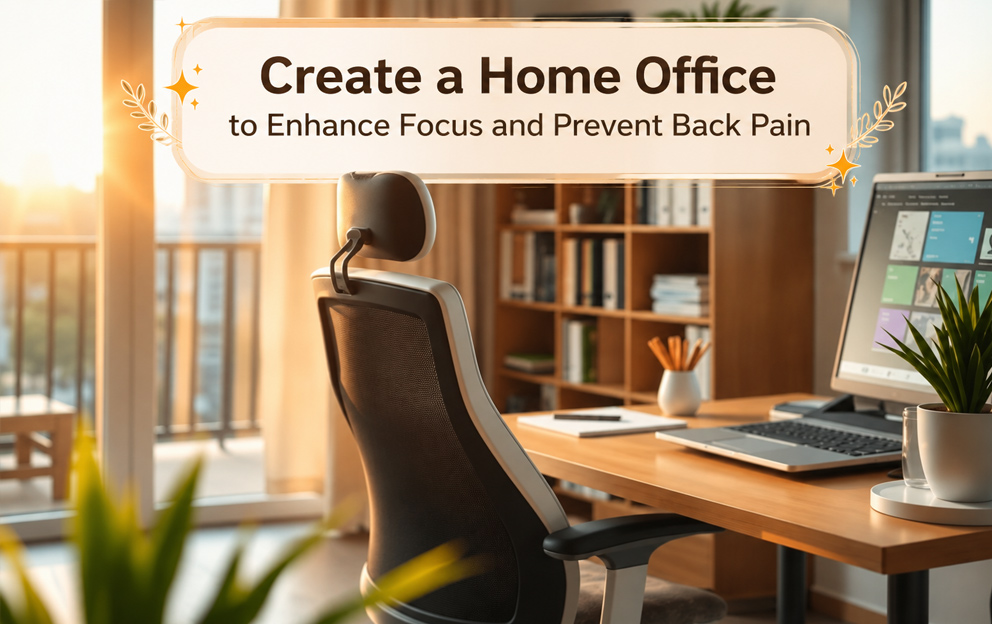
In an era where working from home or having a Home Office has become an integral part of daily life, many individuals might be facing challenges such as easy distractions or physical discomfort, especially persistent back pain from sitting for extended periods. But worry not! This article will guide you on how to create a home office space that significantly improves your ability to focus on work, while also effectively preventing and alleviating back pain.
Properly arranging your Home Office space and equipment not only enhances comfort but also directly impacts your physical and mental health, as well as overall work productivity. Let’s explore how you can begin to design your ideal workspace.
Design an Ergonomic Home Office for a Pain-Free Experience
The key to working in a Home Office without back pain is to set up an ergonomic environment. This approach helps reduce physical strain and prevents long-term injuries.
Choose the Right Chair
- Ergonomic Chair Opt for a chair with adjustable seat height and backrest, and excellent lumbar support for your lower back curve.
- Adjust Height Ensure your feet are flat on the floor, or use a footrest if necessary. Your hips should be slightly higher than your knees.
- Armrests Adjustable armrests support your arms while typing, reducing tension in your shoulders and neck.
Select an Ideal Desk
- Appropriate Height Choose a desk height that allows your forearms to be parallel to the floor when typing.
- Sufficient Space The desk should be spacious enough to accommodate your monitor, keyboard, mouse, and other documents without feeling cramped.
- Standing Desk If possible, a height-adjustable standing desk allows you to alternate between sitting and standing, reducing prolonged sitting and significantly preventing back pain.
Position Your Monitor Correctly
- Eye Level The top of your monitor should be at or slightly below eye level.
- Distance Keep the monitor about an arm’s length away from your face to reduce eye and neck strain.
- Reduce Glare Position your monitor to avoid glare from windows or overhead lights.
Use Proper Keyboard and Mouse Setup
- Straight Wrists While typing or using the mouse, your wrists should remain straight, not bent up or down.
- Wrist Rests Wrist rests can help reduce pressure on your wrists, but they should be used for occasional resting, not for constant support.
Ensure Adequate Lighting
- Natural Light Maximize natural light in your Home Office to reduce eye strain and promote alertness.
- Supplemental Lighting Use a desk lamp or additional lighting to ensure sufficient illumination for your tasks, avoiding shadows.
Take Regular Movement Breaks
- Short Breaks Every 30-60 minutes, stand up, walk around, or stretch to improve blood circulation and relax muscles.
- Simple Exercises Gentle neck rotations, shoulder stretches, and torso twists can help relieve tension and prevent back pain.
Optimize Your Home Office for Focus and Productivity
Beyond physical comfort, a well-arranged Home Office also creates an atmosphere conducive to enhancing your work focus and maximizing productivity.
Designate a Clear Workspace
- Separate Areas If feasible, establish your workspace distinctly from personal areas like the bedroom or living room to create clear boundaries between personal life and work.
- Create Visual Cues If a separate room isn’t possible, use screens, shelving units, or lighting to define your dedicated work zone.
Maintain an Organized Environment
- Reduce Clutter A clean and organized desk reduces visual distractions, helping you to focus on work more effectively.
- Systematic Storage Utilize document organizers, boxes, or drawers to keep supplies tidy and easily accessible.
Minimize Distractions
- Noise Control Consider using noise-canceling headphones or playing soft instrumental music to aid concentration.
- Visual Distractions Position your workspace facing a wall or away from windows that might have external activities.
- Communicate with Household Inform family members about your work hours to help them understand and minimize interruptions.
Incorporate Nature and Inspiration
- Small Plants Indoor plants like Pothos, Snake Plants, or cacti can add freshness, reduce stress, and improve air quality.
- Inspirational Decor Photos, quotes, or personal items you cherish can create a positive atmosphere and boost work motivation.
Ensure Technology and Equipment are Ready
- Stable Internet Make sure your internet connection is fast and reliable enough for your work tasks.
- Accessories Have power strips, chargers, and any other necessary accessories readily available to prevent workflow interruptions.
Establish a Work and Break Schedule
- Set Timings A clear work schedule, including designated break times, helps you manage your time effectively and prevents burnout.
- Adequate Rest Quality sleep and sufficient rest are crucial for maintaining focus and energy throughout your workday.
Creating a Home Office that promotes health and enhances work focus doesn’t have to be complicated. By paying attention to small details and customizing your space to your needs, you’re investing in your physical health, mental well-being, and overall work productivity. Apply these tips to design your dream workspace, allowing you to work happily and successfully without experiencing back pain.
